




a.4 programming paradigms & languages
Speak the language. Dive into the art of software development, mastering different coding styles (paradigms), development lifecycles, and the tools that build the modern world.

Fail to prepare and you prepare to fail. Discover the project management secrets behind top software, from the strict Waterfall method to the flexible, fast-paced world of Agile.
Level up your coding setup. Explore the essential tools of the trade, from powerful Integrated Development Environments and debuggers to version control systems like Git.
Learn the alphabet of coding. Master the universal building blocks used in every language, including variables, data types, and the operators that do the heavy lifting.
Control the flow. Master the big three constructs of sequence, selection, and iteration to tell your computer exactly what to do, when to do it, and how many times to repeat it.
Work smarter, not harder. Discover how to break complex code into reusable chunks called subroutines, saving you time and making your programs cleaner and easier to fix.
Don't lose your data when the power goes off. Learn to save game scores and documents to files, and master the art of slicing and dicing text strings.
Change your mindset. Explore the different programming paradigms that dictate how we solve problems, from the step-by-step imperative style to the object-based world of OOP.
Bridge the gap between human code and machine binary. Learn how compilers, interpreters, and assemblers translate your high-level instructions into raw computing power.
Bugs belong outside. Learn the secrets of building robust software, from rigorous testing and debugging to designing user-friendly interfaces that people actually want to use.
Before you start to learn to code, you need a reason! That could be because you are studying it at school, you have a family member who works in the industry or you are simply interested. The normal route for learning to program runs through...
STATIC programming environments like Scratch, Code Studio, LightBot, Hour of Code and Robozzle where challenges are set and completed using a limited instruction set;
CONTROLLED programming environments like CodeCombat where the development is more open ended but still takes place in a controlled environment like a game;
OPEN programming environments like Coderbyte where open challenges are set to be solved in a variety of different ways in different languages (but in this case requires a paid subscription);
TRADITIONAL desktop programming environments like Python, Java and C++ where all you get is an Integrated Development Environment and a book. Challenges come later.
I'd suggest that you start with a static programming environment. Indeed, you might have already used one in school to help you learn to code without having to worry about typing instructions. I'll assume that you have had a play with Scratch and that you've tried some of the Code Studio courses (like the Hour of Code) before we carry on.
At some point, if you are serious about programming, you will have to learn a text based languages like Python. Block based languages are OK if a) the designer provided the blocks you need and b) you aren't trying to get the language to do something it's not designed to do. As Brian Kernighan once said ...
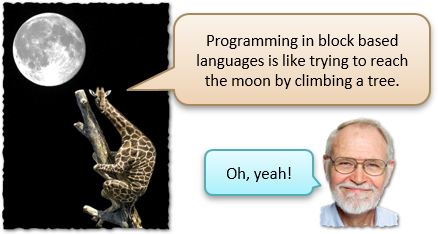
Brian Kernighan wrote one of the first popular programming books 'The C Programming Language' which contained the first reference to 'Hello World', reportedly from a cartoon of a chick emerging from an egg saying 'Hello World!'
Cool places to learn to program on the web
🌐
en.wikipedia.org
🌐
www.codecademy.com
🌐
studio.code.org
🌐
codecombat.com
🌐
🌐
🌐
www.lexaloffle.com
🌐
lightbot.com
LightBot is a puzzle game based on coding; it secretly teaches you programming logic as you play!
🌐
www.python.org
🌐
www.robozzle.com
🌐
scratch.mit.edu
🌐
www.w3schools.com
Last modified: September 21st, 2026

















