




lesson 3.2.3 thinking and remembering (ram vs storage)
Learning the Difference Between Memory and Storage
Have you ever wondered how your phone can play a massive 3D game one minute and keep all your photos safe for years the next? Today, we are stepping into the shoes of a Hardware Engineer to solve the "Memory Mystery". We'll discover why your computer needs a super-fast thinking space (RAM) and a huge remembering space (Secondary Storage). From the tiny bit to the massive terabyte and beyond, you'll learn to measure the digital world and understand how Systems Architects decide which parts a computer needs to be a speed demon!
Learning Outcomes
The Building Blocks (Factual Knowledge)
The Connections and Theories (Conceptual Knowledge)
The Skills and Methods (Procedural Outcomes)
Recall that RAM is volatile memory and secondary storage is non-volatile.
Describe the hierarchy of data units from bit and byte up to terabyte.
The Connections and Theories (Conceptual Knowledge)
Analyse why a computer system requires both primary memory for speed and secondary storage for data persistence.
Evaluate the relationship between file types and their typical data capacity requirements.
The Skills and Methods (Procedural Outcomes)
Apply knowledge of data units to estimate the storage needed for different real-world digital artefacts.
Create a logical map matching data quantities to representative real-world examples.
Digital Skill Focus: You will apply your digital proficiency by identifying file sizes and managing storage locations to ensure your work is saved securely and efficiently.
The Thinking Space vs The Remembering Space
In our last lesson, we saw the CPU working at lightning speed. To keep up, it needs a thinking workspace that is just as fast. This is Primary Storage or RAM (Random Access Memory).

Primary Storage: RAM (The Workspace)
Speed: Extremely fast.
Volatility: Volatile. This means when the power goes out, the data vanishes!
Role: It holds the programs and data you are currently using.
However, in order to be able to remember exactly where it was up to the next time your device restarts, it also needs a remembering space. This is Secondary Storage.
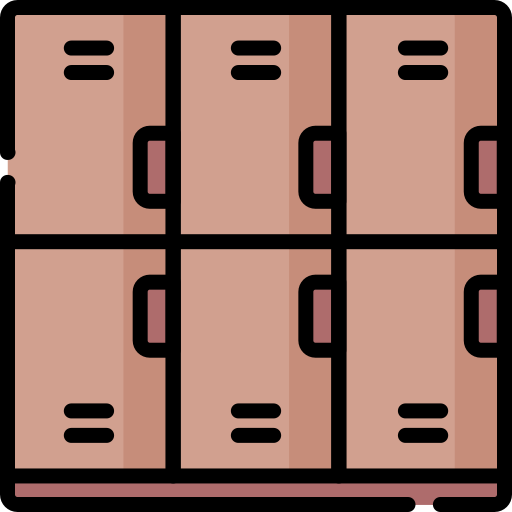
Secondary Storage (The Lockers)
Speed: Much slower than RAM.
Volatility: Non-Volatile. Your files stay safe even when the computer is turned off.
Role: Long-term storage for all your photos, videos, and apps.
Without RAM, the CPU would be waiting forever for data. Without Storage, you would lose your work every time you restarted your computer!
Measuring the Digital World
You've probably seen adverts like this...
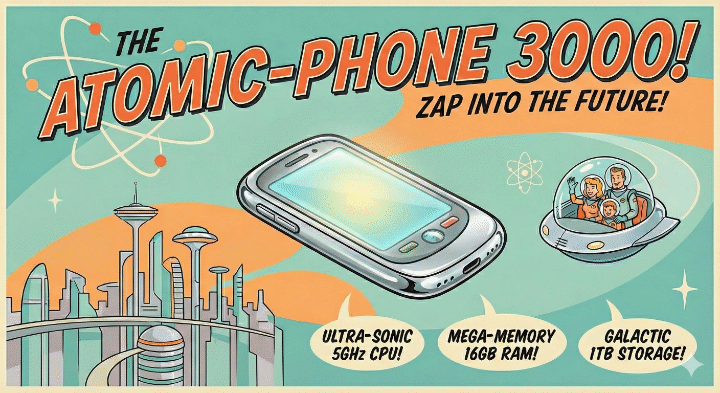
...maybe not quite like this.
To understand phone specs, we need to know the Data Units. Everything in a computer is made of bits (0s and 1s). When you read a phone advert, you'll see numbers like 8GB RAM or 256GB Storage.
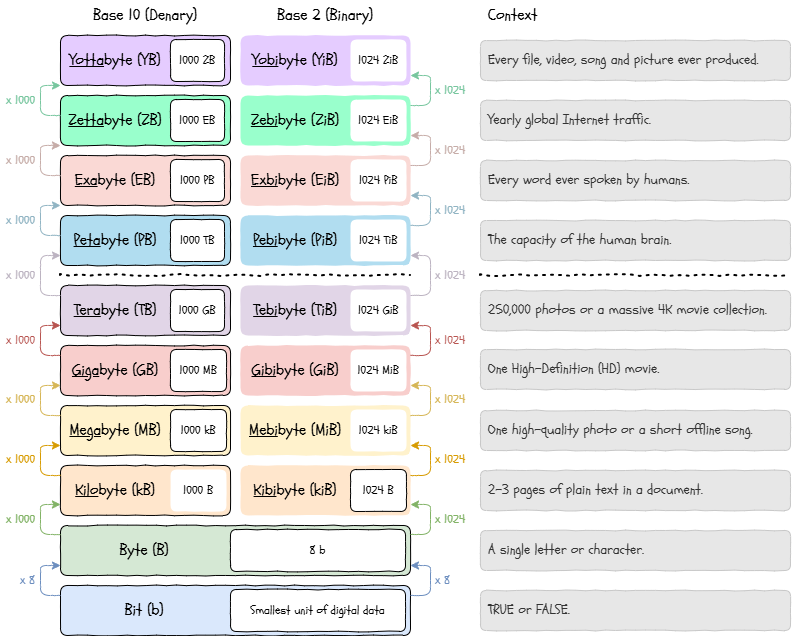
The Storage Ladder
When you buy a phone, you are usually choosing between different capacities. A Systems Architect must decide how much fast memory (RAM) is needed to keep the phone smooth, and how much permanent memory (Storage) is needed to keep the user's life safe.

Task Storage Showdown
You are the Lead Consultant at a futuristic tech store! Customers come in who need a new phone, but they are confused by the numbers (aren't we all?)
1
Get Organised!
Grab a copy of the storage-showdown.docx document and save it somewhere suitable in your documents.
Organise your workspace.
Make sure your name and class is written at the top before you start.
2
Complete the worksheet
It's easy! Using the information on this page, complete all three sections of the worksheet, make sure your name is on the top, print it out and hand it into your teacher.
Outcome: Examples of storage capacities and a reflection on phone specifications.


Out of Lesson Learning


Last modified: March 6th, 2026

















