




lesson 3.9.3 network topologies
Building Models of Star, Bus, ring and Mesh Networks

Imagine you are a city planner. You have all the buildings (your computers) and the people (your data), but how do you physically lay out the tarmac and roads so that everyone can get to work without massive traffic jams? In computing, these digital road maps are called Network Topologies! Just like Network Architects in the real world, you are going to learn how to connect devices together to build networks. Some of the older road systems we used to build were slow and prone to breaking, so today we will look at the history of network shapes, and then focus on building the fast, modern, super-connected webs of data that we rely on today!
Learning Outcomes
The Building Blocks (Factual Knowledge)
The Connections and Theories (Conceptual Knowledge)
The Skills and Methods (Procedural Outcomes)
Recall the physical structures of Star, Mesh, Bus, and Ring network topologies.
Describe the historical context of legacy topologies like the Bus and Ring, and why they are no longer used in modern networking.
Describe the role of the central switch in a Star topology and the concept of redundancy in a Mesh topology.
The Connections and Theories (Conceptual Knowledge)
Analyse how the layout of a Star and Mesh topology impacts the flow of data packets and the reliability of the system.
Evaluate the comparative advantages and disadvantages of Star and Mesh networks in terms of cost, scalability, and central points of failure.
The Skills and Methods (Procedural Outcomes)
Apply knowledge of modern networking to justify why Star and Mesh are the industry standards today.
Create structural diagrams representing physical Star and Mesh topologies using standard digital conventions.
Digital Skill Focus: Use digital diagramming software (diagrams.net) to create structured, accurate visual models that communicate complex physical system architectures.
What is a Network Topology?
When we talk about a topology, we are simply talking about the physical layout or shape of a network. If you look at the computers in your classroom, they are all connected together, but how are those cables actually arranged behind the walls?
To understand this, it helps to think of a computer network like a busy city. There are two ways to think about the layout of this city:
Physical Topology
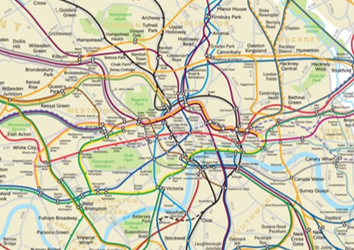
Think of this as the actual tarmac, roads, and bridges built by the construction workers. In a network, this is the physical layout of the cables, switches, and computers (the nodes). It is what you can actually see and touch.
London
Think of this as the actual tarmac, roads, and bridges built by the construction workers. In a network, this is the physical layout of the cables, switches, and computers (the nodes). It is what you can actually see and touch.
Logical Topology
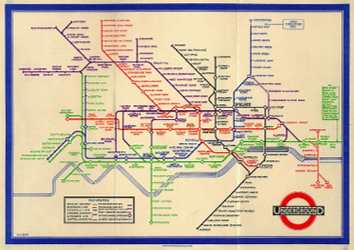
Think of this as the transport routes or delivery paths set by the city council. In a network, this is the imaginary path the data takes as it flows between devices, which might be different from the physical cables.
London Underground
Think of this as the transport routes or delivery paths set by the city council. In a network, this is the imaginary path the data takes as it flows between devices, which might be different from the physical cables.
For the rest of this lesson, and whenever you are designing modern networks, we will be focusing purely on the Physical Topology - where we actually plug the cables in and to what! Network Engineers have four main shapes to choose from when building their physical topologies. Let's explore each one.
The History Books
In the early days of computing, hardware and cables were extremely expensive. Network engineers had to find ways to connect computers using as little wire as possible. This led to two topologies that are now largely obsolete and rarely seen in modern practice.
The Bus Topology
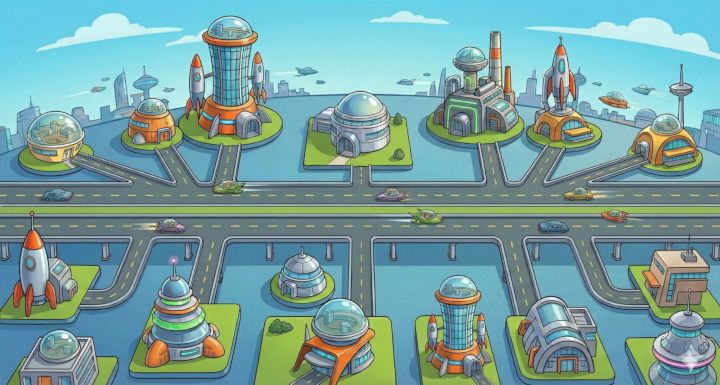
A Bus Network
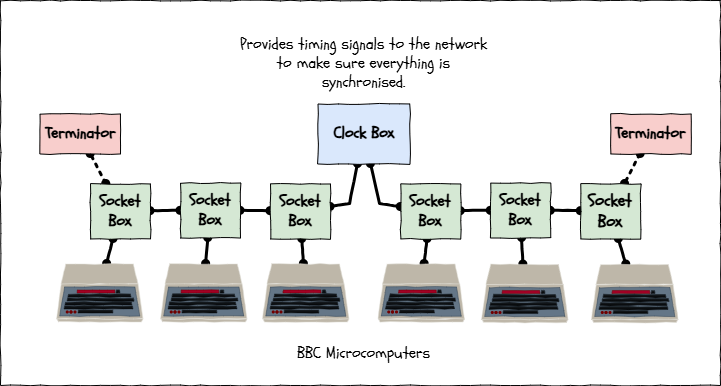
The Acorn Econet
In a physical Bus network, all nodes are connected to a single, main central cable called the backbone. In the 1980s, thousands of UK schools used the BBC Micro computer, connected together using a famous system called the Acorn Econet, which was a classic Bus topology. It was incredibly cheap to install, but if that single main cable was cut, the entire classroom's network went down!
The Ring Topology
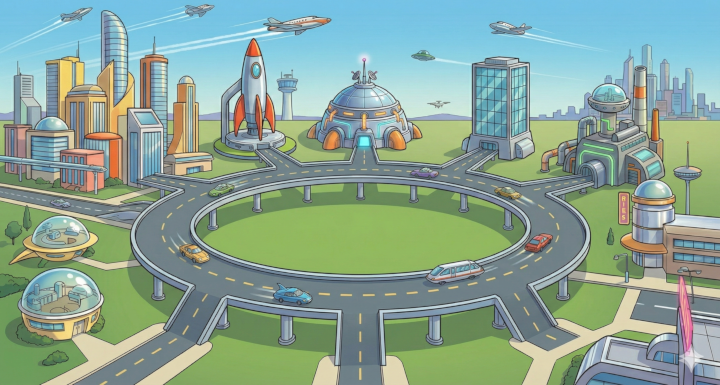
A Ring Network
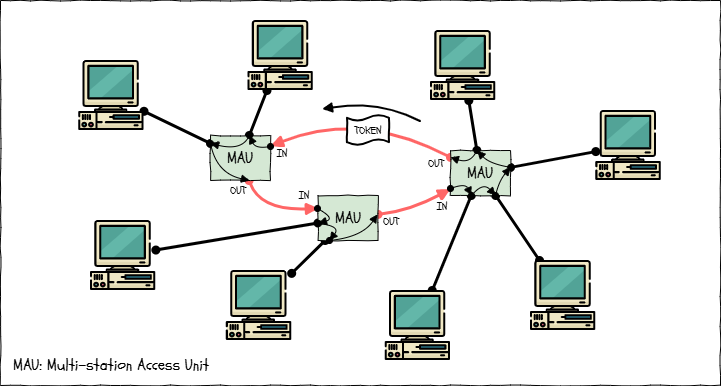
IBM Token Ring
In a Ring network, each computer is connected to exactly two other computers, forming a closed physical loop. A famous example was the IBM Token Ring, heavily used in corporate offices in the 1980s and 1990s. Data travelled in one direction around the circle. The major flaw? If you turned off one computer, or unplugged one cable, the physical circle was broken and the whole network crashed.
Because of these massive reliability issues, engineers stopped building Bus and Ring networks. They have been replaced by the modern champions: Star and Mesh.
The Modern Standards: Star and Mesh
Today, almost every network you will ever encounter uses either a Star or a Mesh physical topology.
The Star Topology
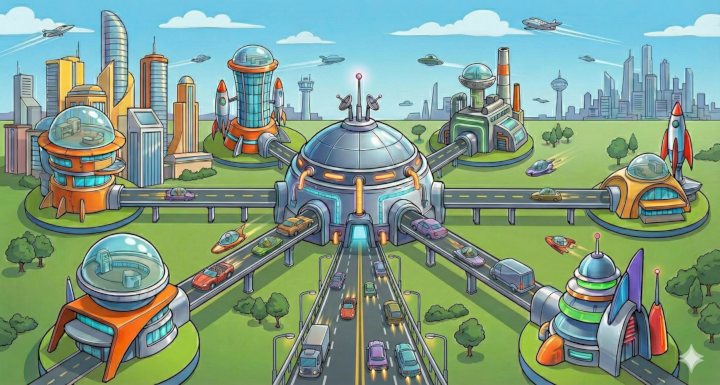
A Star Network
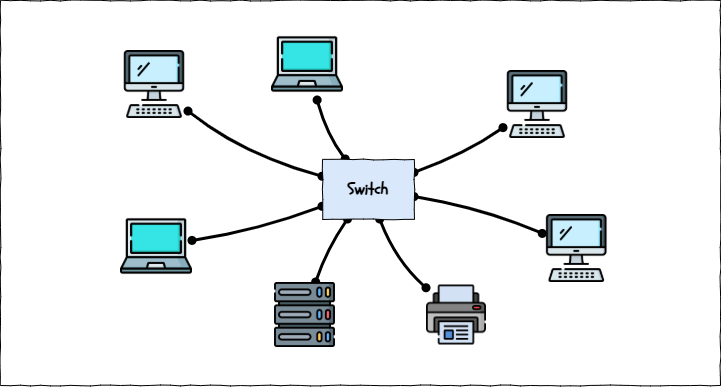
A Star Network
In a Star network, every single node (computer, printer, etc.) is connected directly to a central piece of hardware, usually a switch. This is what you have in your home and in your school! It requires a lot of cable, but it is incredibly reliable. If one cable breaks, only that specific computer loses its connection; the rest of the school carries on working.
The Mesh Topology
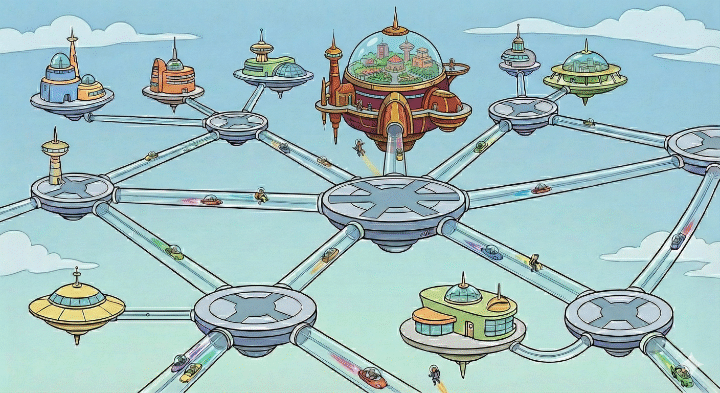
A Mesh Network
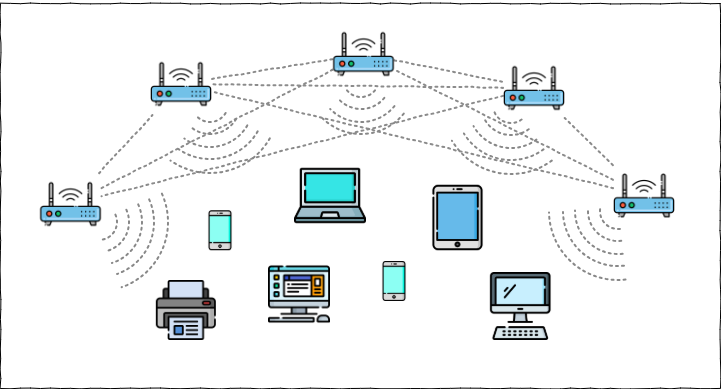
A Wireless Mesh Network
A Mesh network is all about redundancy (having backup routes). In a Full Mesh, every single node is connected directly to every other node - the ultimate design for reliability. If a cable breaks, the data simply routes itself down a different path. Whilst wiring a full wired mesh is too expensive and complicated for most domestic and business situations, it is the underlying concept behind the Internet itself, and the principle is heavily used in modern wireless mesh networks.
Topology Comparison Analysis
As a network architect, you need to know the strengths and weaknesses of all four shapes, even the legacy ones!
Star Topology
Mesh Topology
Bus Topology
Ring Topology
Pros: Highly reliable; if one cable fails, the rest of the network survives. Very easy to add new devices.
Pros: Incredible reliability and redundancy. Almost impossible to take the network down completely. No central point of failure.
Pros: Very cheap and easy to set up because it uses the least amount of cable.
Pros: No data collisions as data flows in a single direction. Performs consistently under heavy traffic.
Cons: Requires a lot of cabling. The central switch is a single point of failure (if it breaks, the whole network dies).
Cons: Expensive and complicated to set up due to amount of cabling or number of WAPs required.
Cons: Poor reliability. If the backbone is cut, everything fails. Prone to data collisions under heavy traffic.
Cons: If one node fails or a cable is unplugged, the entire ring breaks and the network crashes.

Task Draw the Modern Architecture
It is time to put your Network Architect hard hat on! You need to document the two modern network designs (Star and Mesh) and compare their pros and cons.
1
Get Organised!
Open a new browser tab and navigate to this network drawing tool.
Organise your workspace!
You should be taken directly to a new diagram.
Take a moment to familarise yourself with the interface.
Rename the diagram to topologies.
Split your page into two halves (or add another page):
label one "Star Topology"
label the other "Full Mesh Topology".
2
The Star Topology
Use the networking shape library to drag a Switch onto the center of the canvas.
Drag 6 different computer nodes (PCs or Laptops) and arrange them in a circle around the Switch.
Drag one server image onto the canvas.
Use the line tool to connect each node directly to the Switch.
Fast finishers: Underneath the diagram, make a list of the pros and cons of a star network. Use the information higher up on the page to help you.
3
The Mesh Topology
In the other half of your canvas, drag out 6 devices (nodes) and arrange them in a line toward the bottom of the diagram..
Find a clipart image which is suitable to represent a wireless access point (WAP).
Drag 5 wireless access points out onto the canvas and arrange them in an arc towards the top of the diagram.
Use the line tool to connect every wireless access point to every other wireless access point.
If you can, change the lines from solid to dashed.
Fast finishers: Underneath the diagram, make a list of the pros and cons of a wireless mesh network. Use the information higher up on the page to help you.
4
The Evaluation
Add a final text box at the bottom of your page.
Write two sentences explaining why your school might choose to build a fully cabled star network instead of a wireless mesh network.
5
Export your masterpiece
Make sure that your name is somewhere on your diagram and choose Export > Save as PDF > Export. Save your PDF file somewhere suitable and share it with your teacher if you have been asked to.
Outcome: A digital architecture drawing clearly contrasting the characteristics of a star vs a full mesh network.


Out of Lesson Learning


Last modified: March 9th, 2026

















